import numpy as np
from qiskit import QuantumCircuit, QuantumRegister, ClassicalRegister, transpile, assemble
from qiskit import QuantumCircuit
from qiskit_aer import Aer
from qiskit.circuit.library import GroverOperator
from qiskit.visualization import circuit_drawer
# from qiskit import execute
from PIL import Image
import matplotlib.pyplot as plt

%matplotlib inline

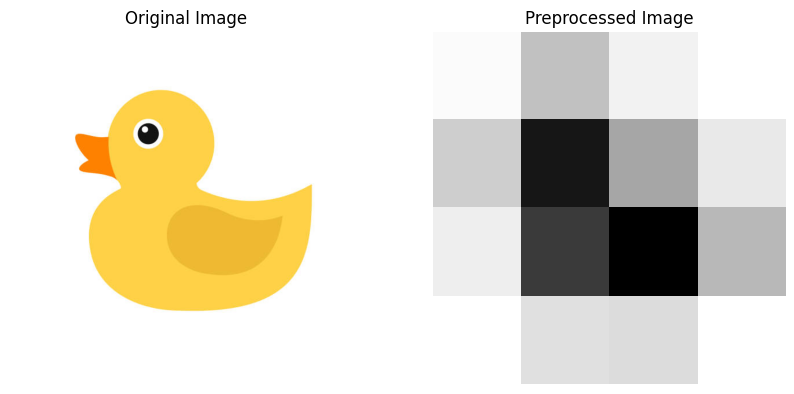
def preprocess_image(image_path, size=(4, 4)):
    # Load the image
    img = Image.open(image_path).convert('L')

    # Resize the image
    img_resized = img.resize(size)

    # Convert to numpy array and normalize
    img_array = np.array(img_resized) / 255.0

    return img_array

def encode_image(img_array):
    size = img_array.shape[0]
    n_qubits = size * size  # We need one qubit per pixel
    qr = QuantumRegister(n_qubits, 'q')
    cr = ClassicalRegister(n_qubits, 'c')
    qc = QuantumCircuit(qr, cr)

    # Flatten the image array and encode each pixel value into a quantum state
    flat_img = img_array.flatten()
    for i, pixel in enumerate(flat_img):
        if pixel > 0:
            qc.ry(2 * np.arccos(np.sqrt(pixel)), qr[i])

    return qc

def create_oracle(img_array, threshold=0.5):
    size = img_array.shape[0]
    n_qubits = size * size
    oracle_qc = QuantumCircuit(n_qubits)

    # Apply X gates for pixels below the threshold
    for i, pixel in enumerate(img_array.flatten()):
        if pixel < threshold:
            oracle_qc.x(i)

    # Apply multi-controlled-X gate
    mcx = MCXGate(n_qubits - 1)
    oracle_qc.append(mcx, list(range(n_qubits)))

    return oracle_qc.to_gate(label='Oracle')

def diffusion_operator(n_qubits):
    qc = QuantumCircuit(n_qubits)

    # Apply Hadamard gates
    for qubit in range(n_qubits):
        qc.h(qubit)

    # Apply X gates
    for qubit in range(n_qubits):
        qc.x(qubit)

    # Apply multi-controlled-X gate
    mcx = MCXGate(n_qubits - 1)
    qc.append(mcx, list(range(n_qubits)))

    # Apply X gates
    for qubit in range(n_qubits):
        qc.x(qubit)

    # Apply Hadamard gates
    for qubit in range(n_qubits):
        qc.h(qubit)

    return qc.to_gate(label='Diffusion')

def apply_grovers_search(qc, oracle, n_iterations=1):
    n_qubits = qc.num_qubits
    diffusion = diffusion_operator(n_qubits)

    for _ in range(n_iterations):
        qc.append(oracle, list(range(n_qubits)))
        qc.append(diffusion, list(range(n_qubits)))

def interpret_results(counts, size):
    segmented_image = np.zeros((size, size))
    for bitstring, count in counts.items():
        index = int(bitstring, 2)
        if count > 0:
            row = index // size
            col = index % size
            segmented_image[row, col] = 1
    return segmented_image

def main(image_path):
    # Load and display the original image
    original_img = Image.open(image_path)

    plt.figure(figsize=(10, 5))

    plt.subplot(1, 2, 1)
    plt.imshow(original_img, cmap='gray')
    plt.title("Original Image")
    plt.axis('off')

    # Preprocess the image
    img_array = preprocess_image(image_path)

    plt.subplot(1, 2, 2)
    plt.imshow(img_array, cmap='gray')
    plt.title("Preprocessed Image")
    plt.axis('off')

    plt.show()

    # Encode the image into a quantum circuit
    qc_image = encode_image(img_array)

    # Create the oracle for the given image
    oracle = create_oracle(img_array)

    # Apply Grover's search
    apply_grovers_search(qc_image, oracle)

    # Measure the results
    qc_image.measure_all()

    # Execute the circuit
    simulator = Aer.get_backend('qasm_simulator')
    compiled_circuit = transpile(qc_image, simulator)
    qobj = assemble(compiled_circuit)
    result = simulator.run(qobj).result()
    counts = result.get_counts()

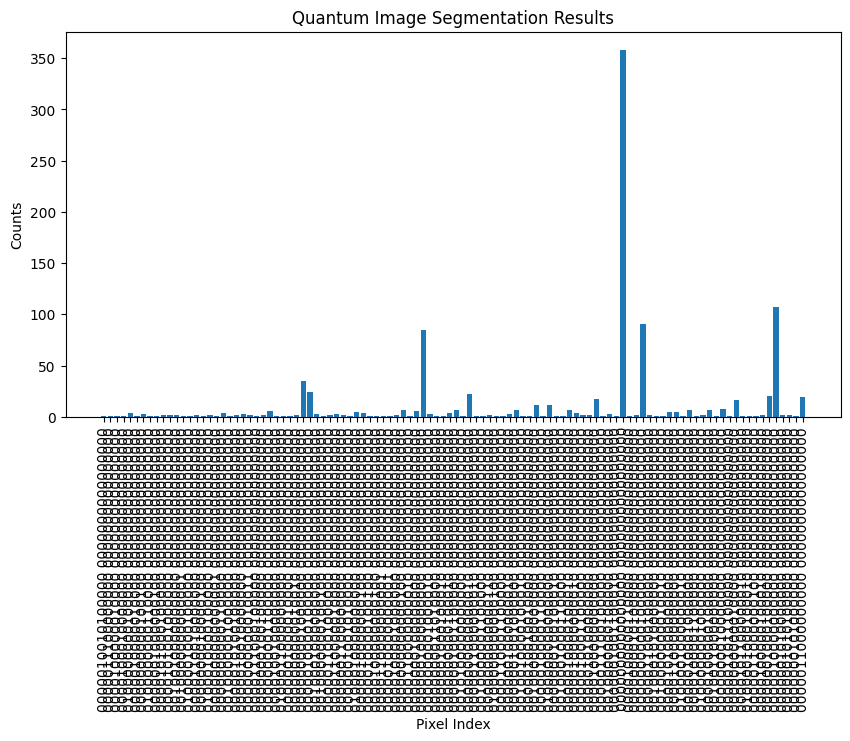
    # Display the results
    plt.figure(figsize=(10, 5))
    plt.bar(counts.keys(), counts.values())
    plt.title("Quantum Image Segmentation Results")
    plt.xlabel("Pixel Index")
    plt.ylabel("Counts")
    plt.xticks(rotation=90)
    plt.show()

    # Interpret the results
def interpret_results(counts, size):
    print("Counts:", counts)  # Debug: Print counts to see their format
    segmented_image = np.zeros((size, size))
    for bitstring, count in counts.items():
        bitstring = bitstring.replace(' ', '')  # Remove any spaces in the bitstring
        index = int(bitstring, 2)
        if count > 0:
            row = index // size
            col = index % size
            segmented_image[row, col] = 1
    return segmented_image


# Run the main function with the path to your image
main('duck_image.jpeg')  # Replace with your image path